
Roster sharing
Share the roster fields you choose
Crew Prime lets trusted connections view selected roster information without turning your complete flight, income and note history into a public profile.
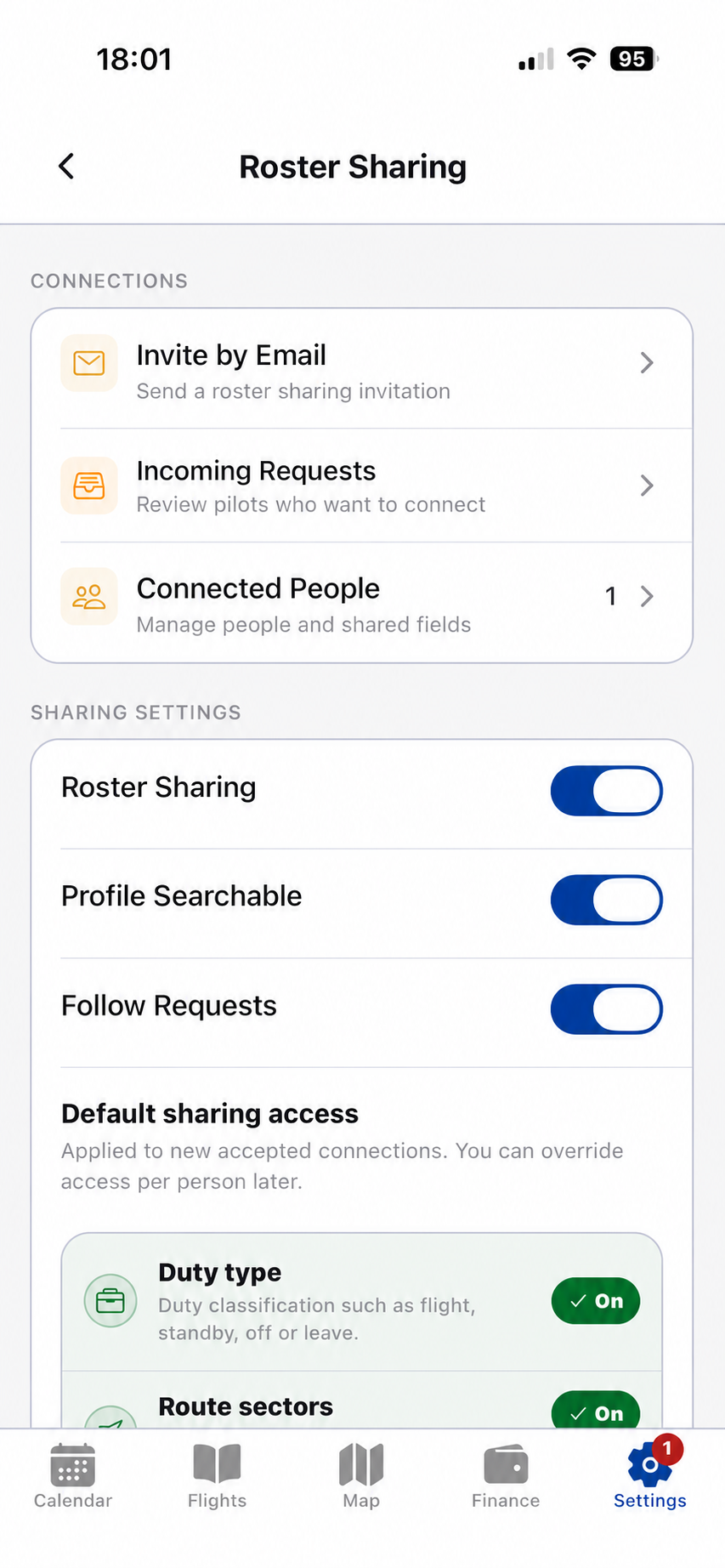
Permission based
Visibility stays tied to each connection
Sharing is an explicit online action. You decide which connection receives access and which supported roster fields are visible.
01 / Permissions
Deliberate sharing controls.
Invite a trusted person, review incoming requests and manage accepted connections. Choose whether sharing, profile discovery and follow requests are enabled, then set the roster fields a connection may see.
- Invite and request workflows
- Connection-specific access
- Duty type, route sector and duty-time controls
- Income, crew, notes and private fields remain protected
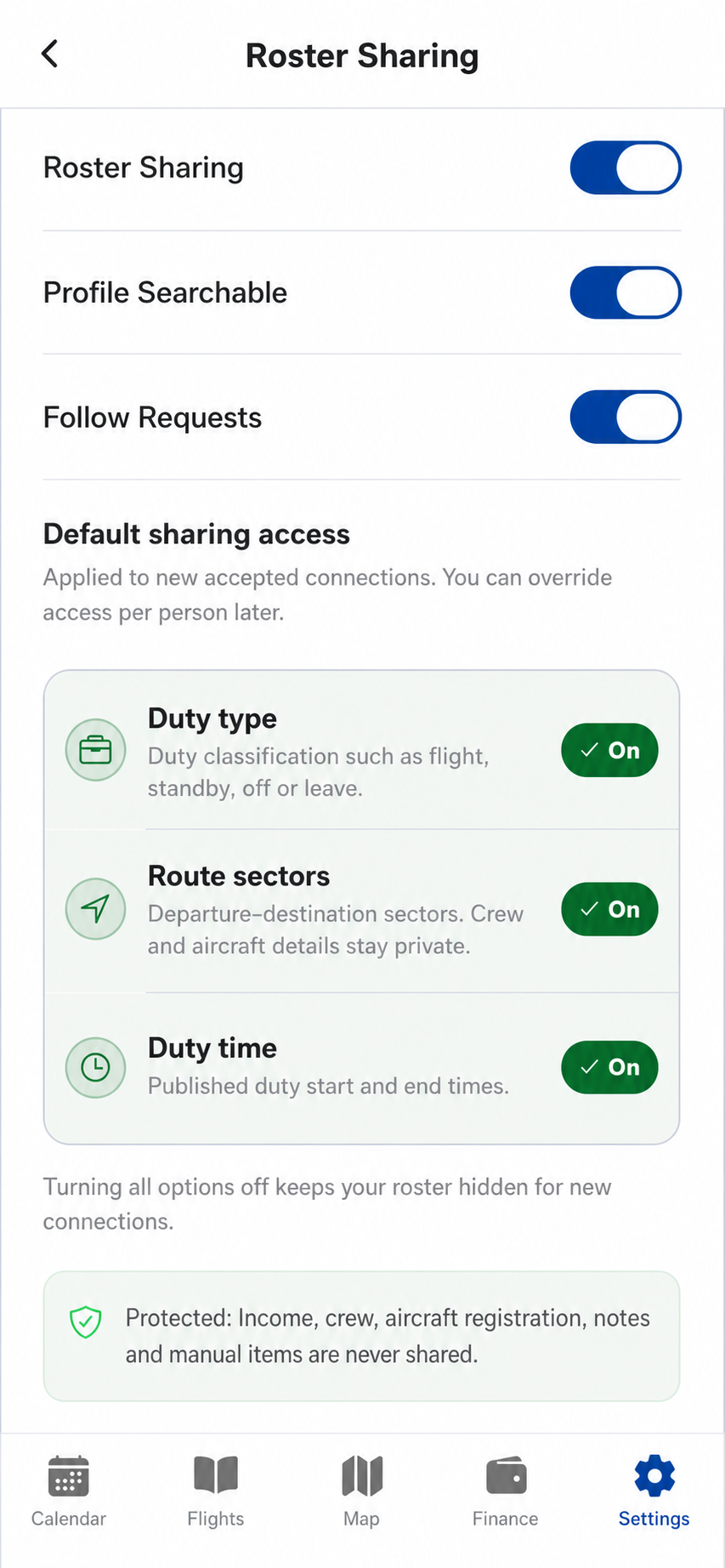
Designed for practical coordination
Sharing can help trusted people understand availability and selected duty context without requiring screenshots or repeated manual messages.
Not a company roster channel
Crew Prime sharing is a personal coordination tool. Official airline or employer systems remain the authority for assignments and changes.
Keep roster sharing deliberate
Connect, choose permissions and change access from one place.