
Flight crew operations, connected
Crew Prime
From roster plan to actual flight, route history and income.
A personal operational workspace for pilots and cabin crew. Import the roster, update what happened, inspect every period and keep control of the record.
CalendarFlightsMapFinanceRoster sharingBackup & data
One operational record
The plan, the flight and every result stay connected.
Crew Prime does not turn each screen into a separate data island. Calendar, flight records, route intelligence and income calculations all read the same operation.
01 / Calendar
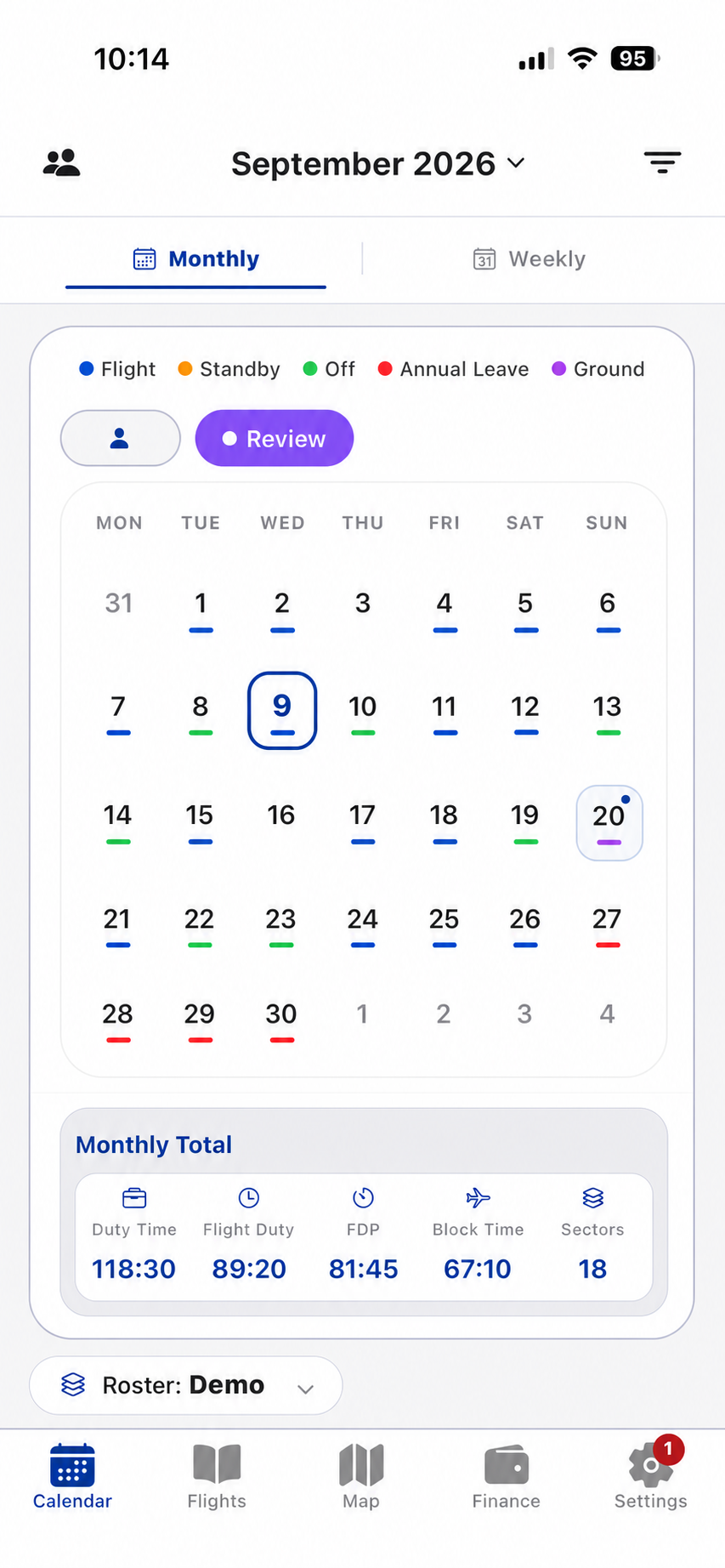
See the roster as an operation, not a list.
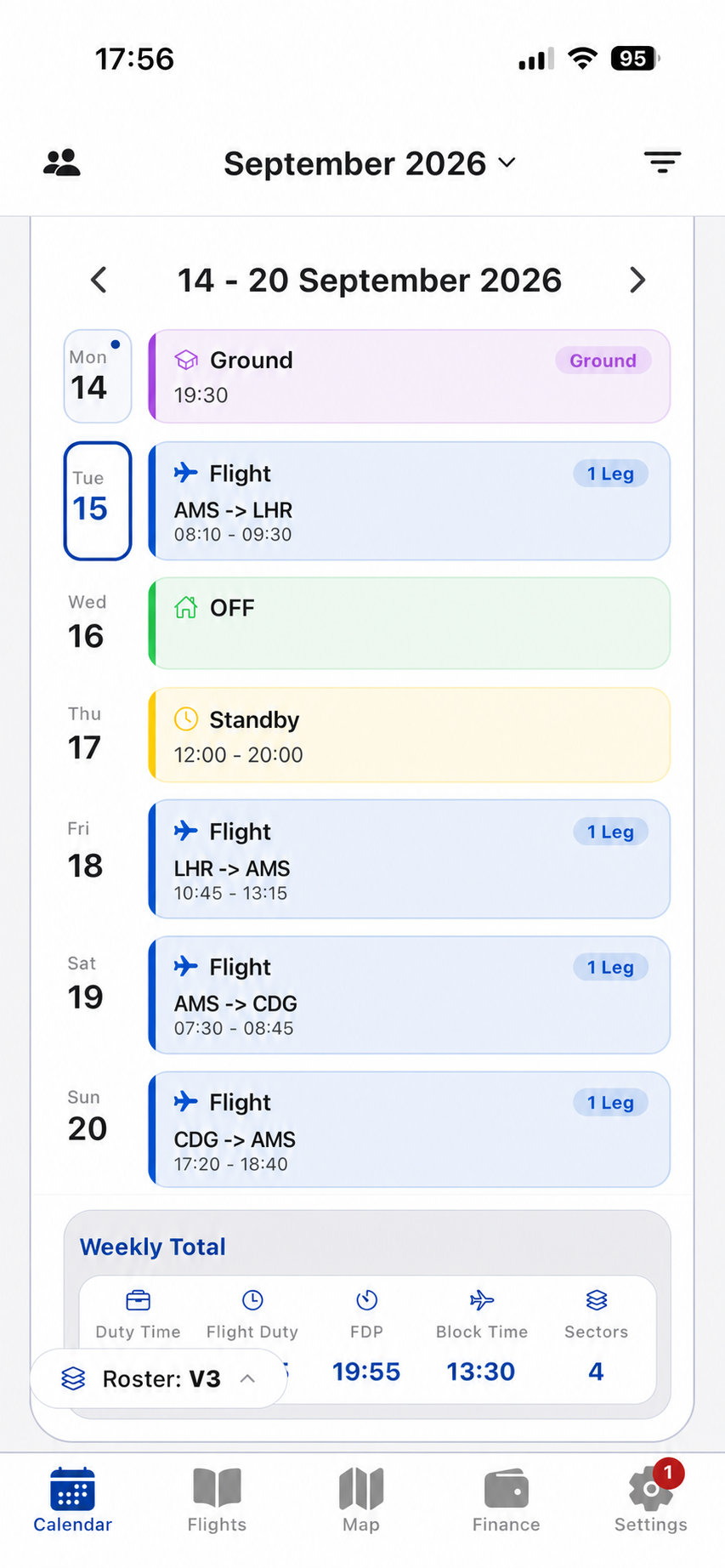
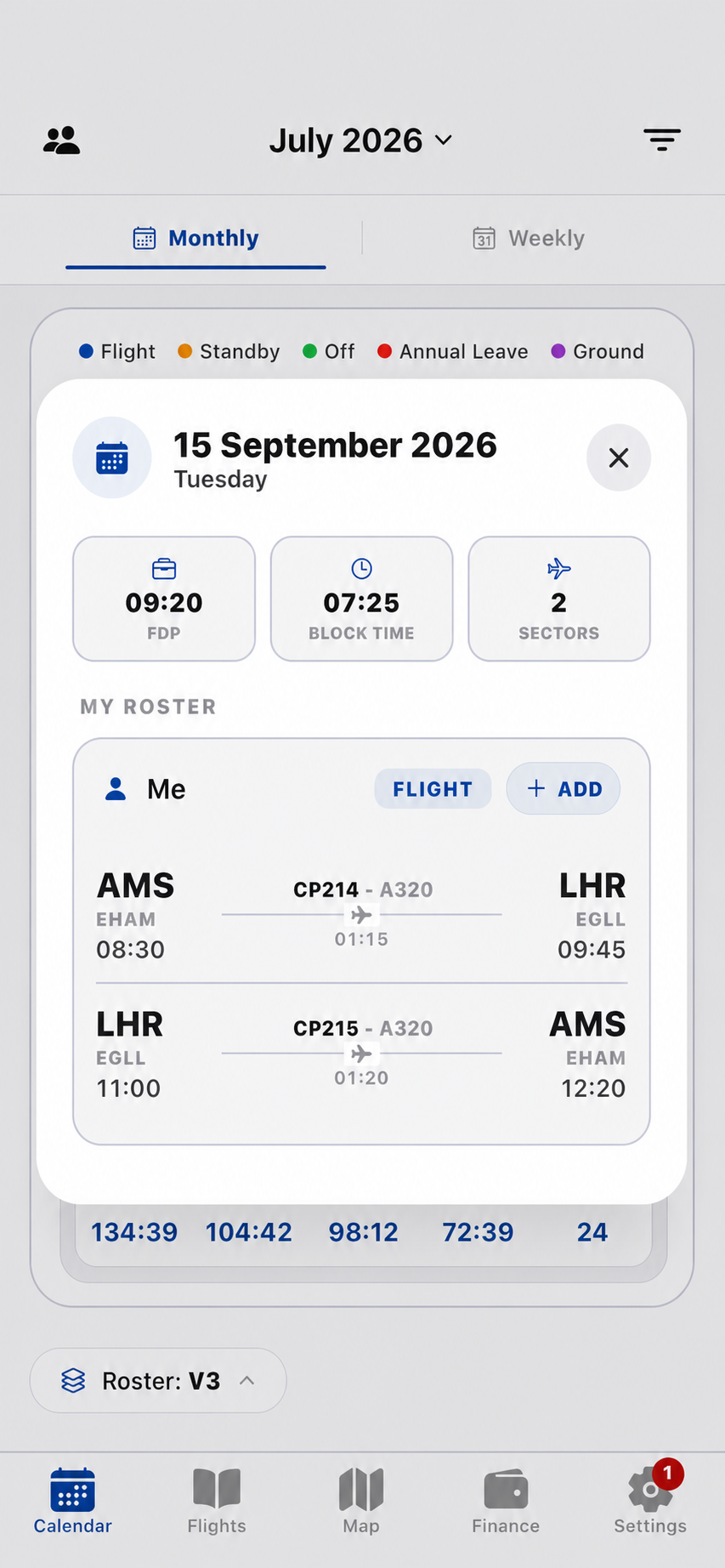
Move between monthly and weekly views, inspect a complete duty from any selected day and review duty time, flight duty, FDP, block time and sector totals for the period you choose.
- Monthly and weekly operational views
- Day detail and cross-midnight duty context
- Custom periods and roster version history
02 / Flights
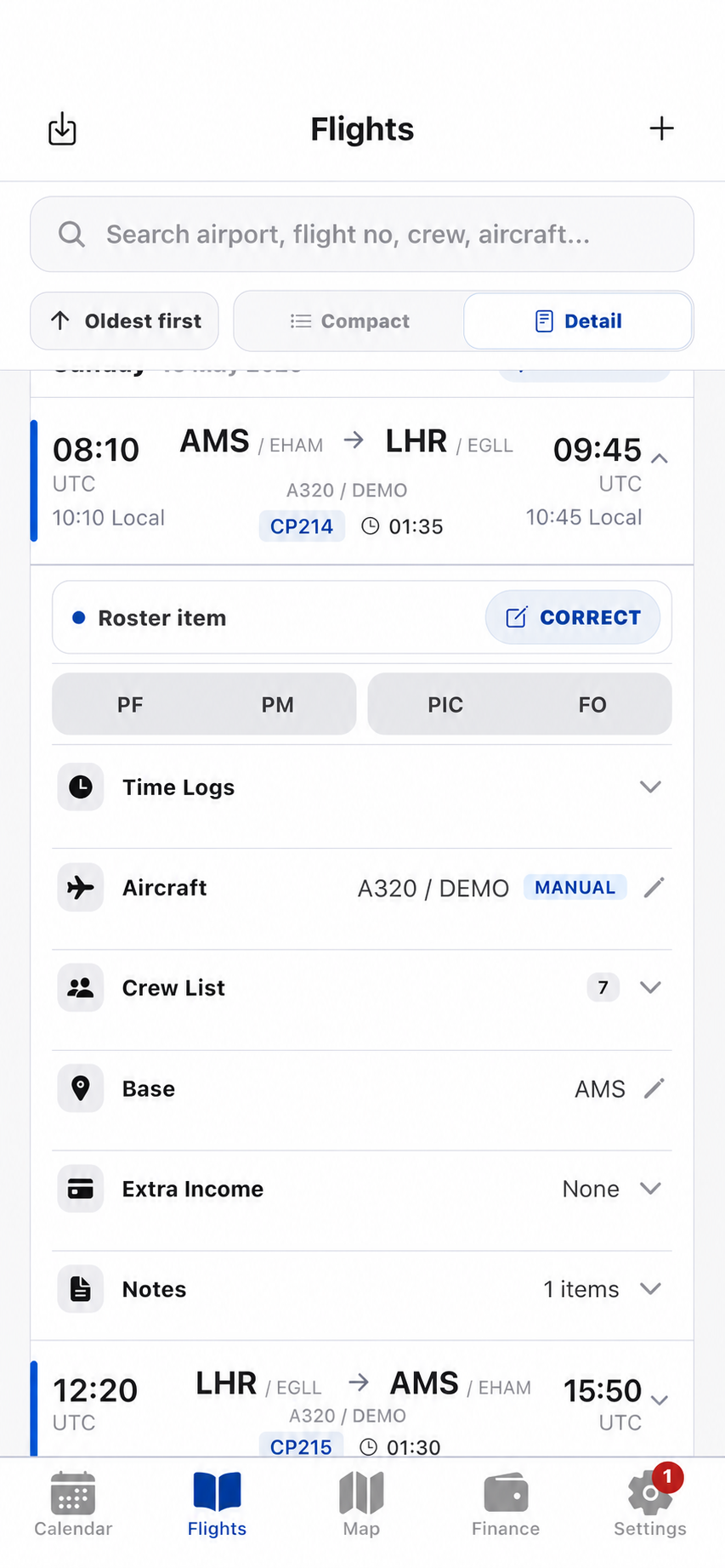
The logbook remembers what actually happened.
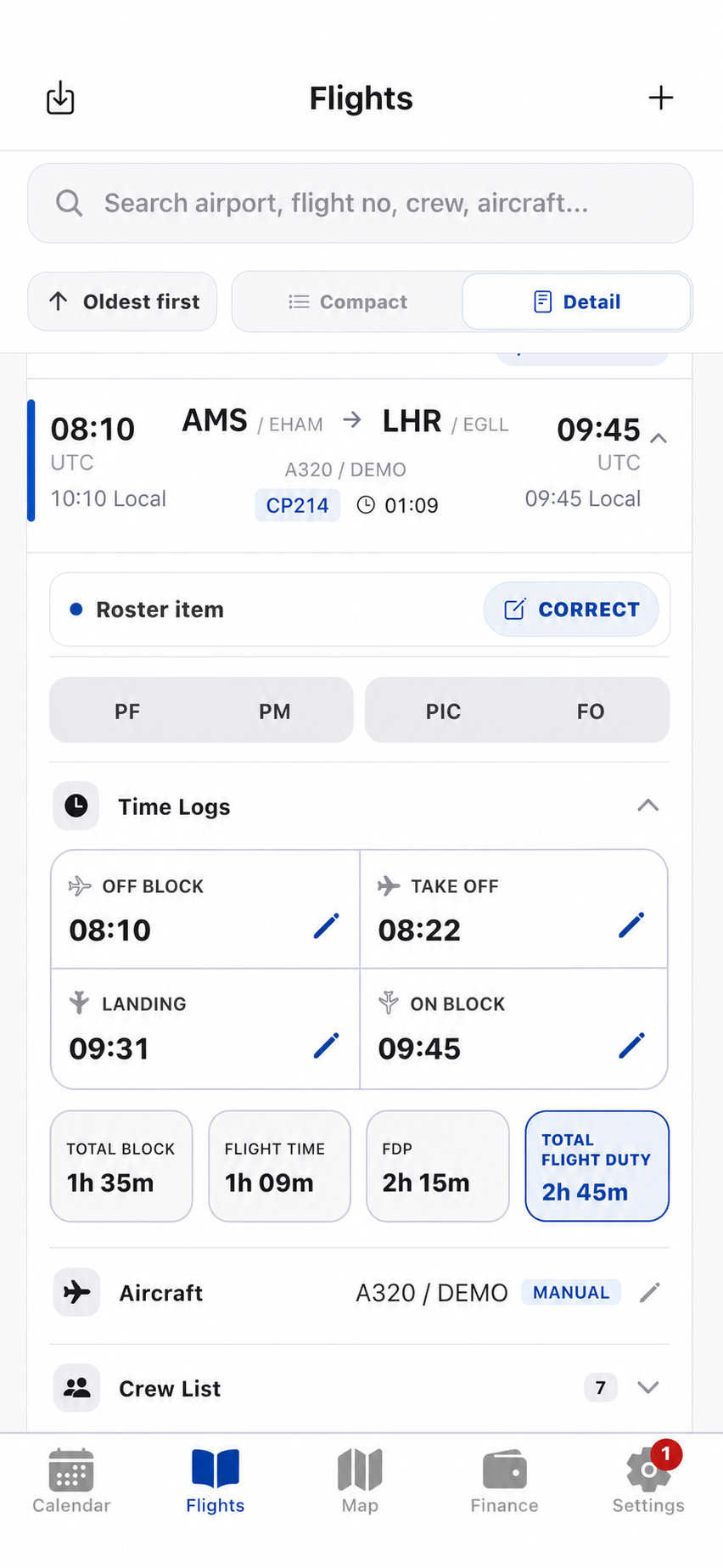
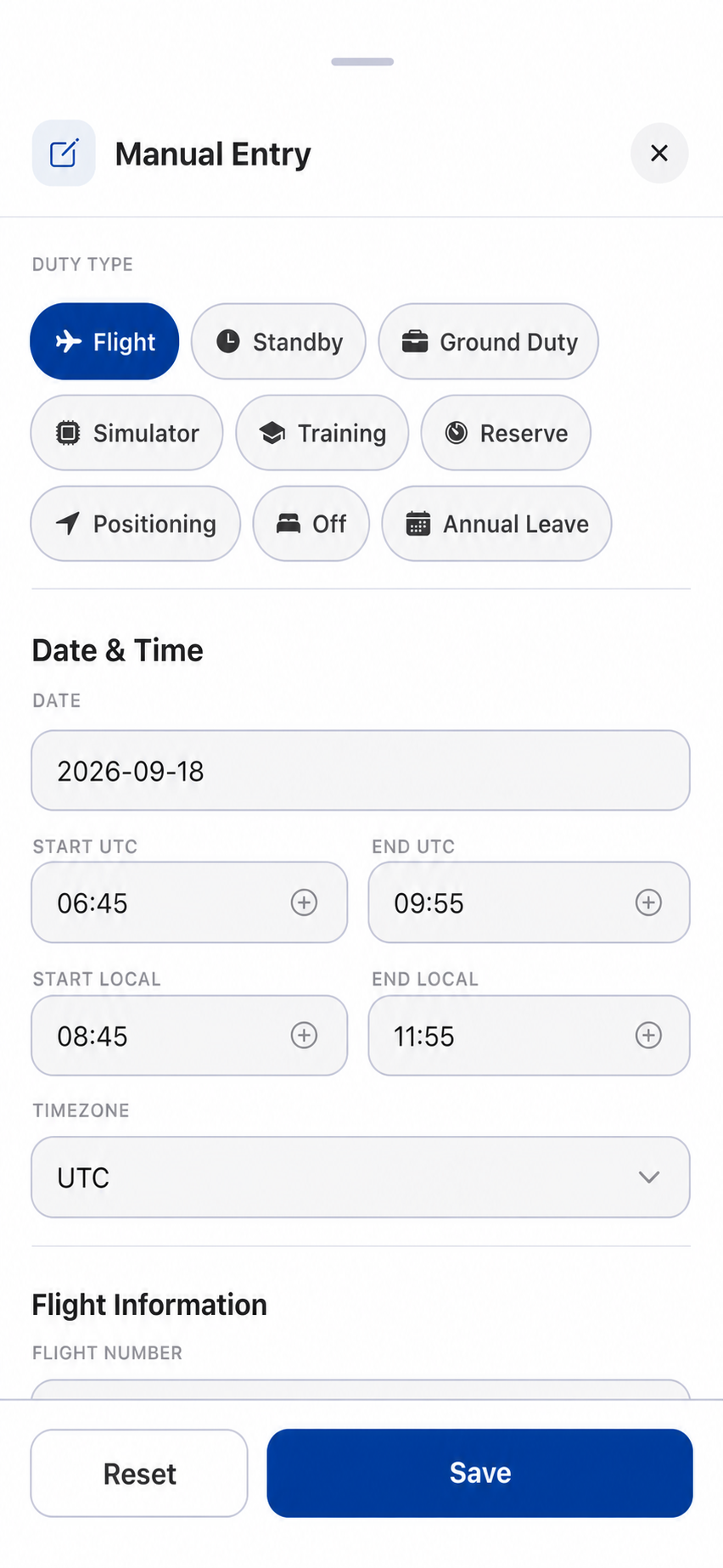
Search stored history by airport, flight, crew or aircraft. Update actual time logs without losing the scheduled baseline, and retain the relationship between every sector and its duty.
- Searchable flight and activity history
- Actual block, flight, FDP and flight-duty metrics
- Manual flight, standby, training and ground entries
03 / Map
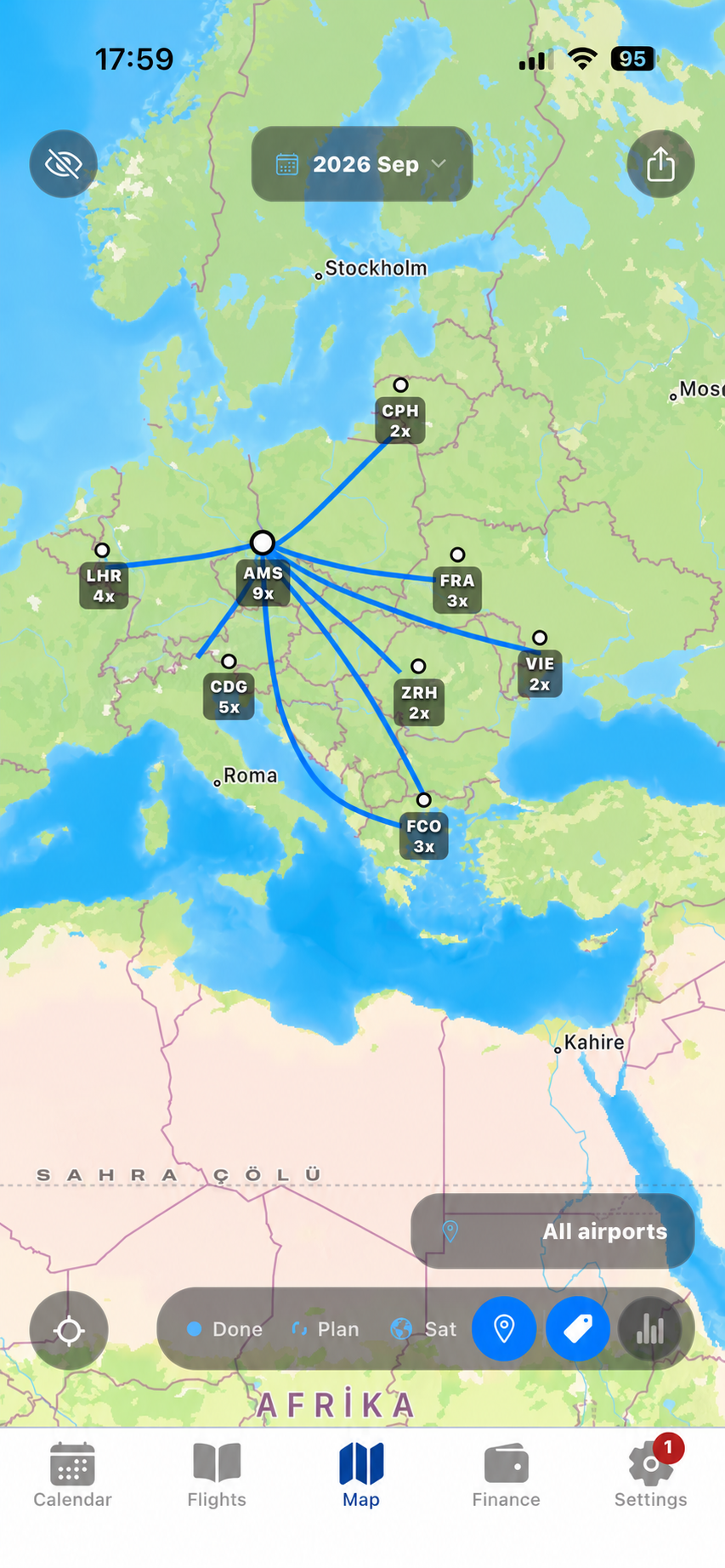
Your flying history has a shape.
Select one period or compare several. Crew Prime turns the same stored sectors into a route network with airport, country, visit and distance context.
9 airports7 countries24 sectors14,820 NM
Explore Map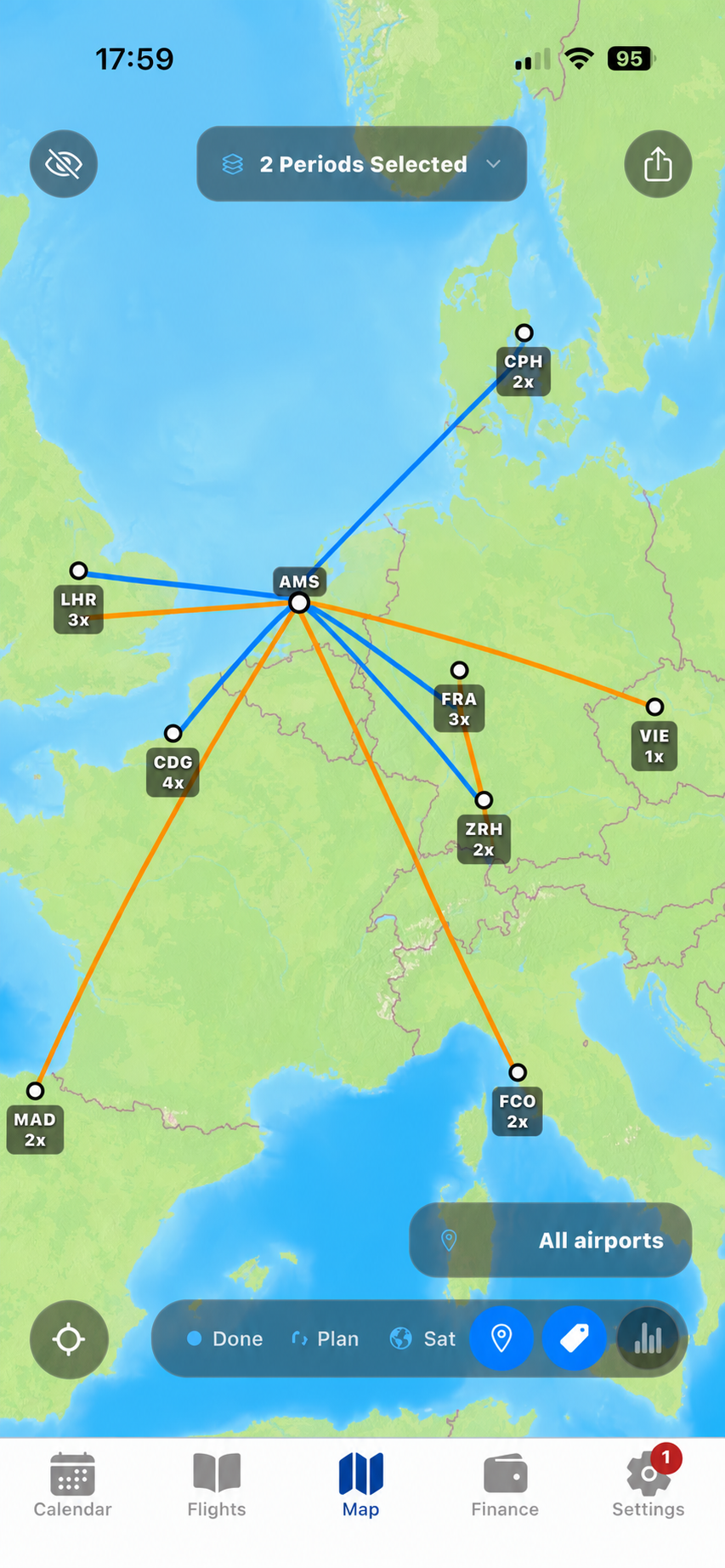
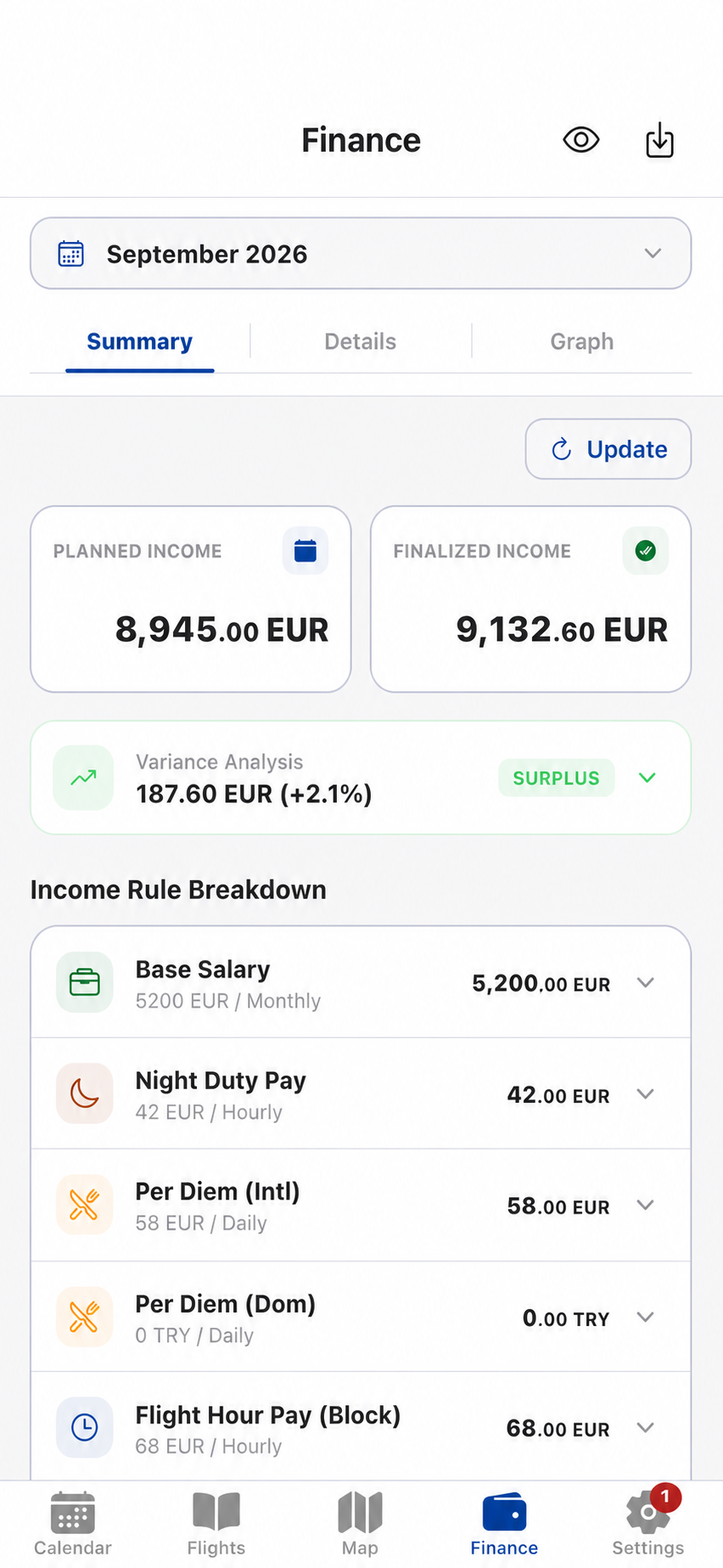
04 / Finance
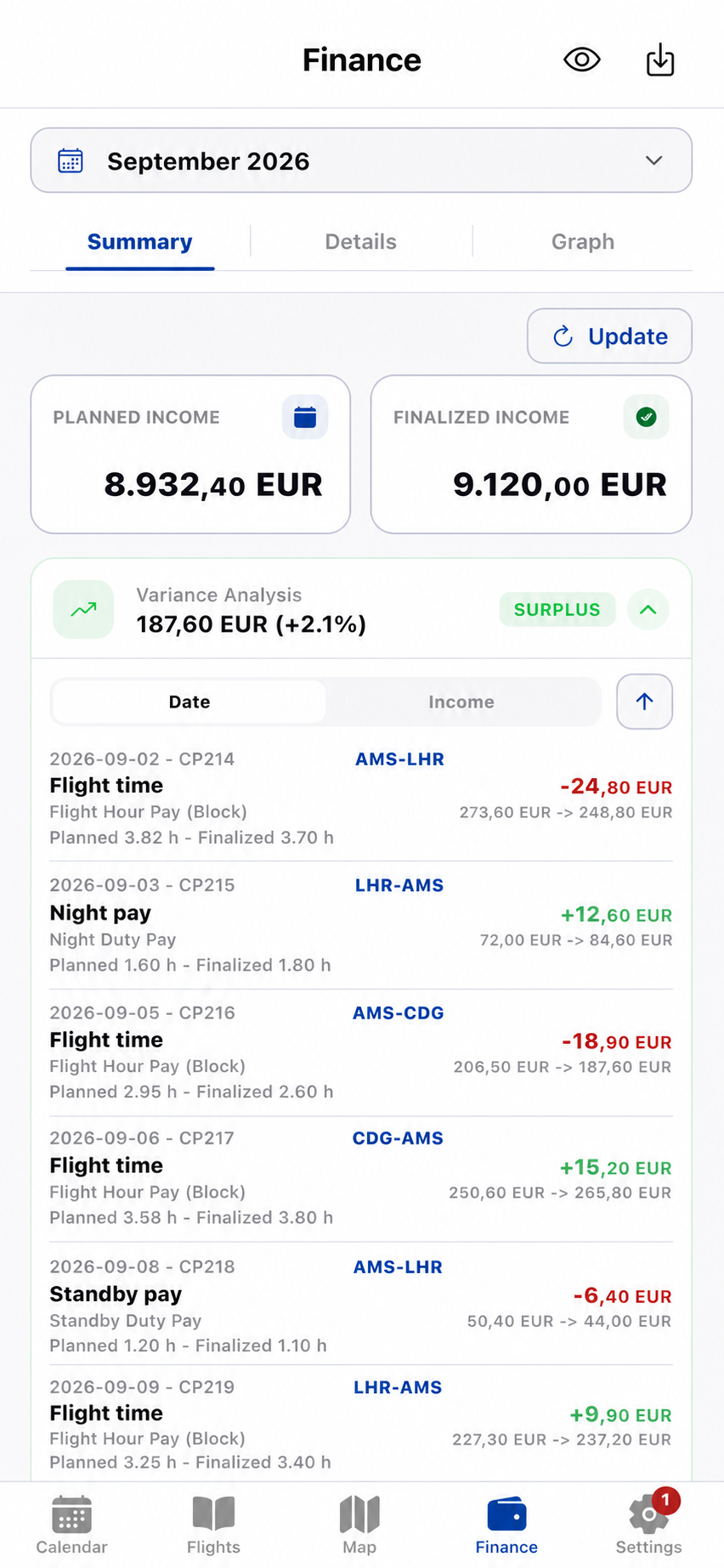
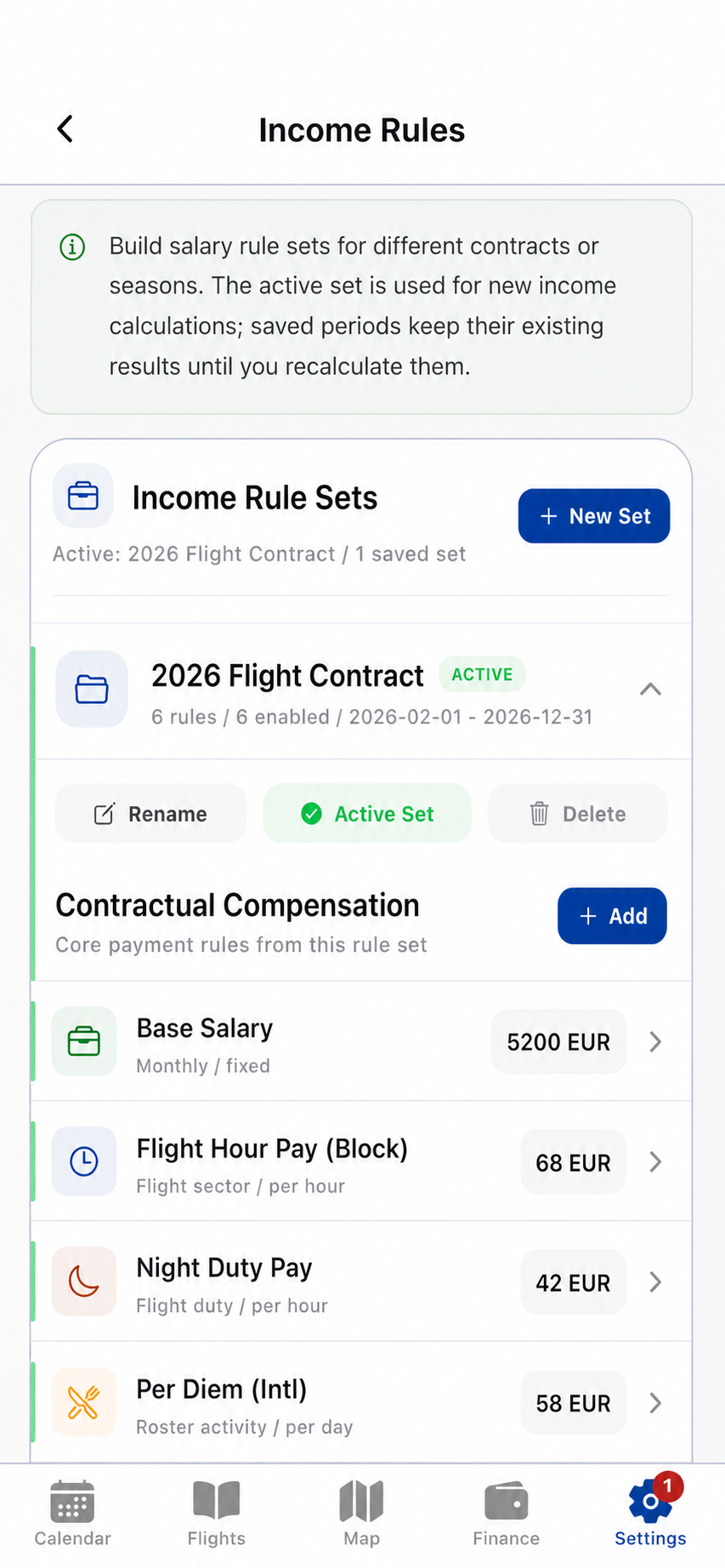
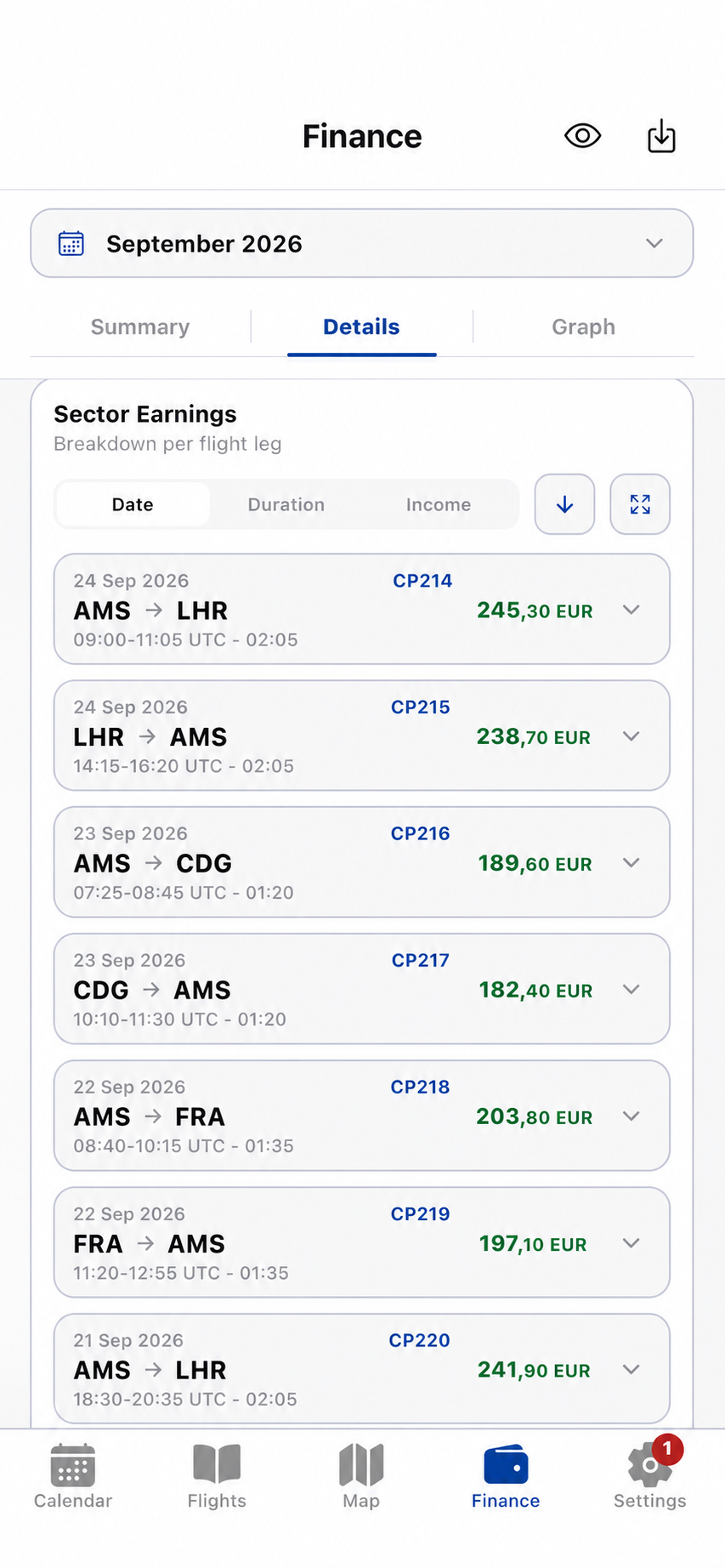
Understand the calculation, not only the total.
Create structured income rules, calculate scheduled and actual records with the same rule set, then trace every difference back to its period, duty or sector.
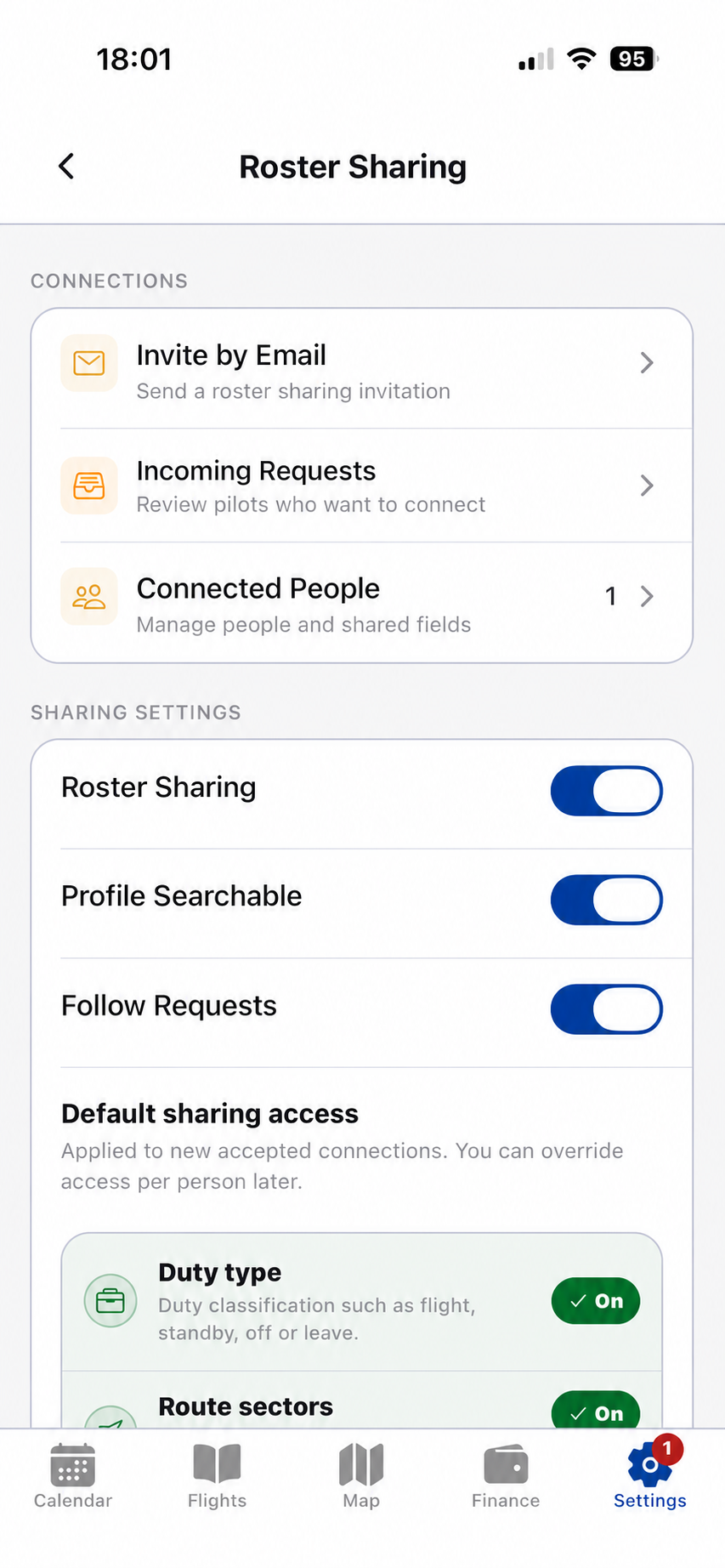
05 / Roster Sharing
Share the roster. Keep private data private.
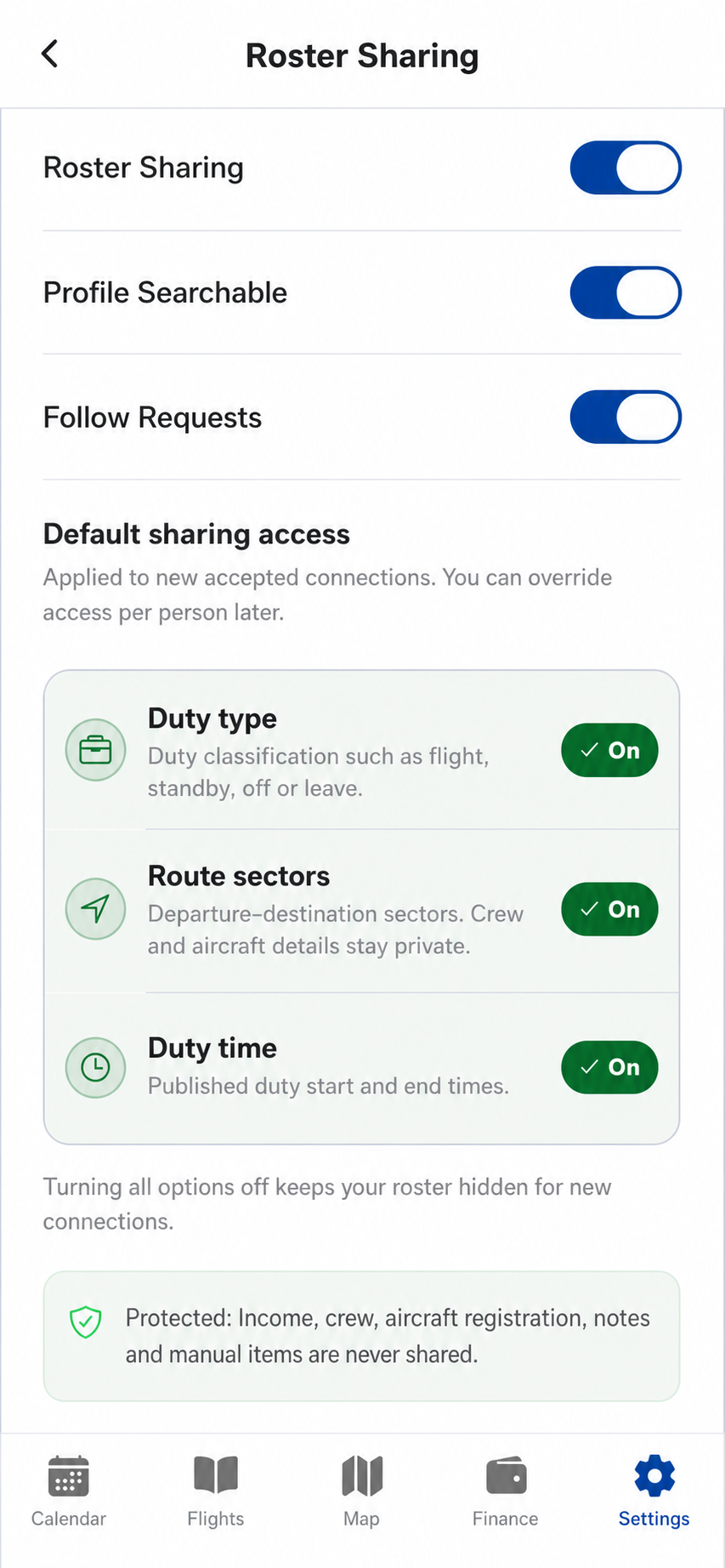
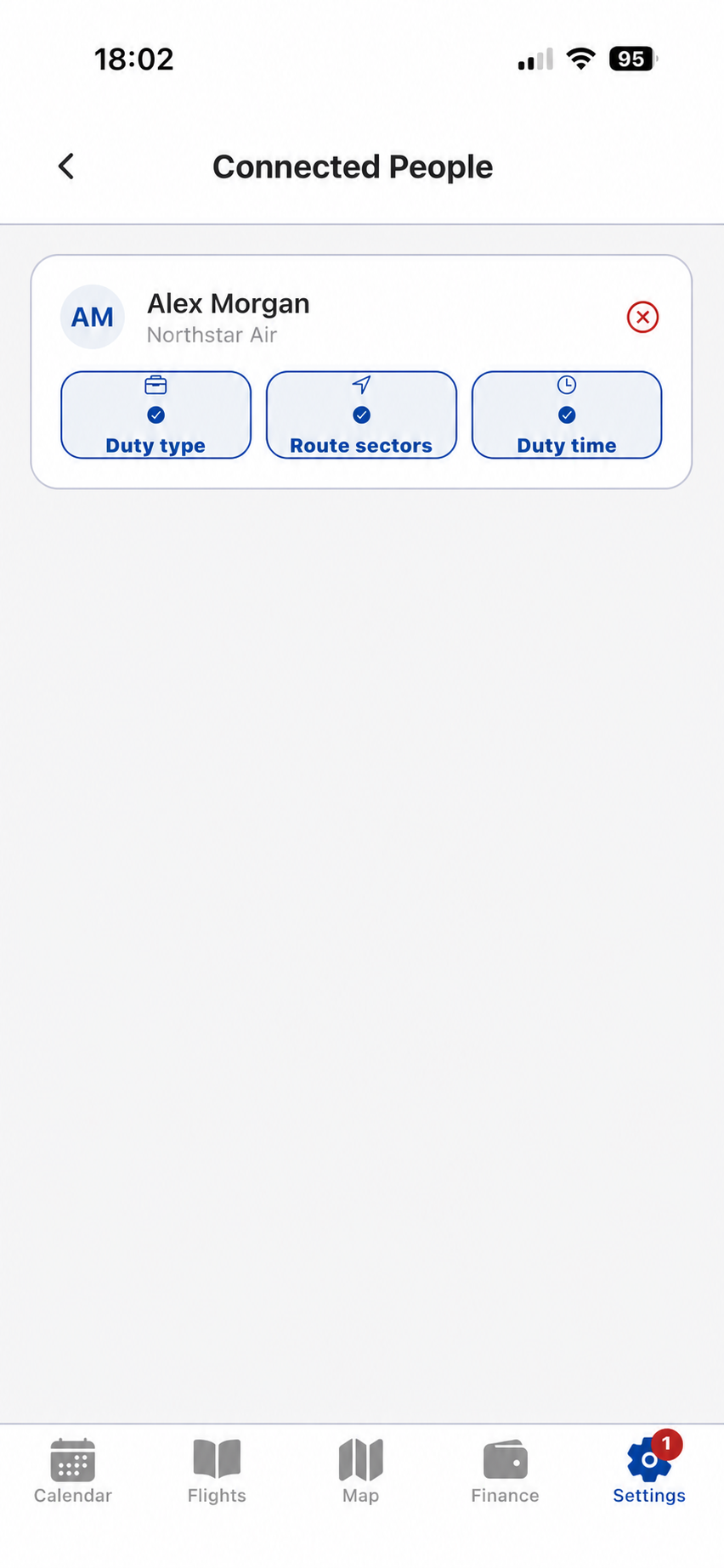
Connect with another Crew Prime user and decide exactly which roster fields are visible. Duty type, route sectors and duty time can be controlled per connection; income, crew details, aircraft registration, notes and manual items remain private.
- Email invitation and connection requests
- Default and per-person access controls
- Clear protected-field boundaries
06 / Data movement
Bring records in. Take them out. Restore them when you need them.
Roster import, local files and cloud backup are visible product workflows, not hidden settings. Crew Prime keeps each action explicit and understandable.
01
Roster Import
Use a supported crew portal, calendar feed, PDF, CSV or ICS source. New roster versions preserve the update history.
Import workflows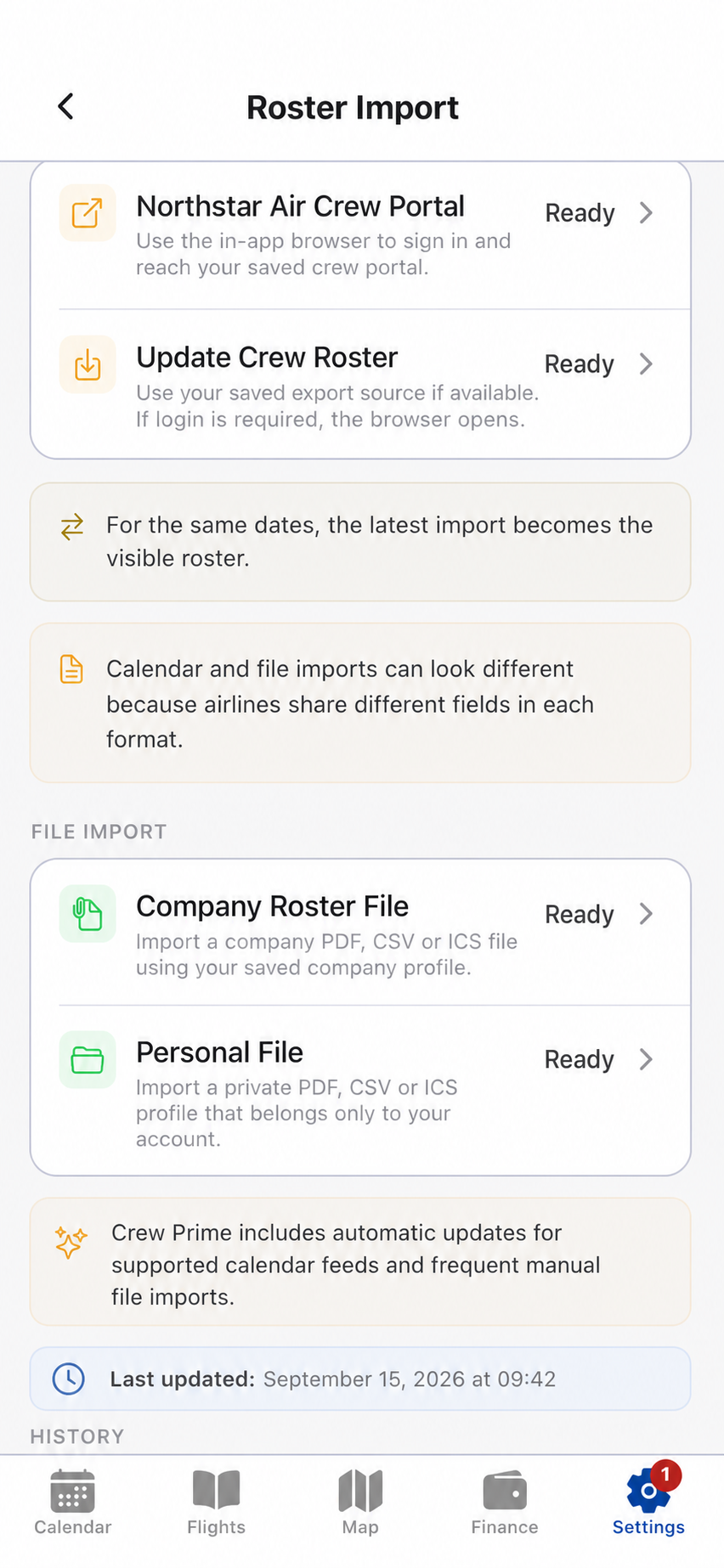
02
Import & Export
Create a local backup file or restore one on the device. Operational data remains portable without exposing secure credentials.
Data portability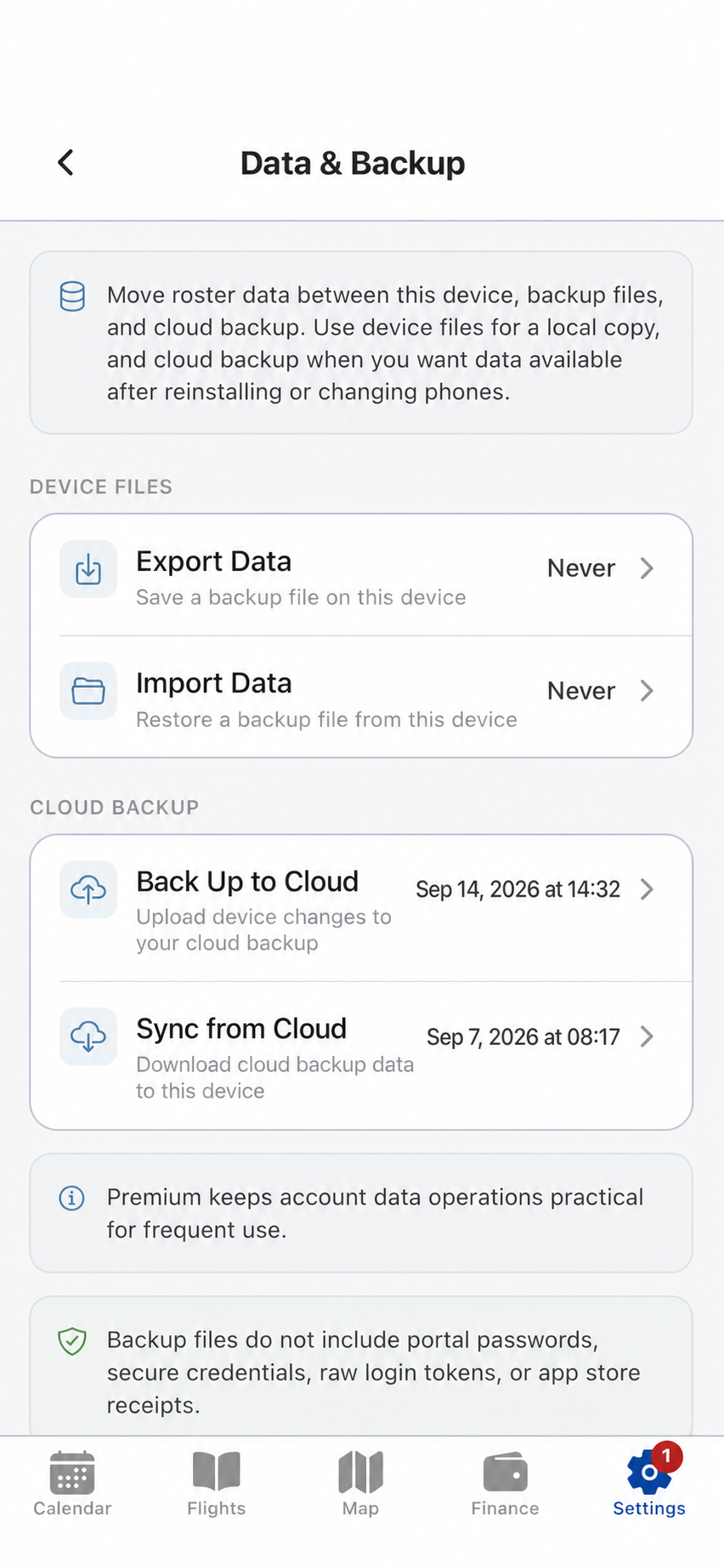
03
Backup & Restore
Back up device changes to the cloud and restore records after reinstalling or changing phones through explicit user actions.
Backup and restore04
Roster Versions
Review which roster is active and understand how updates changed duty, flight and sector totals.
Version-aware calendar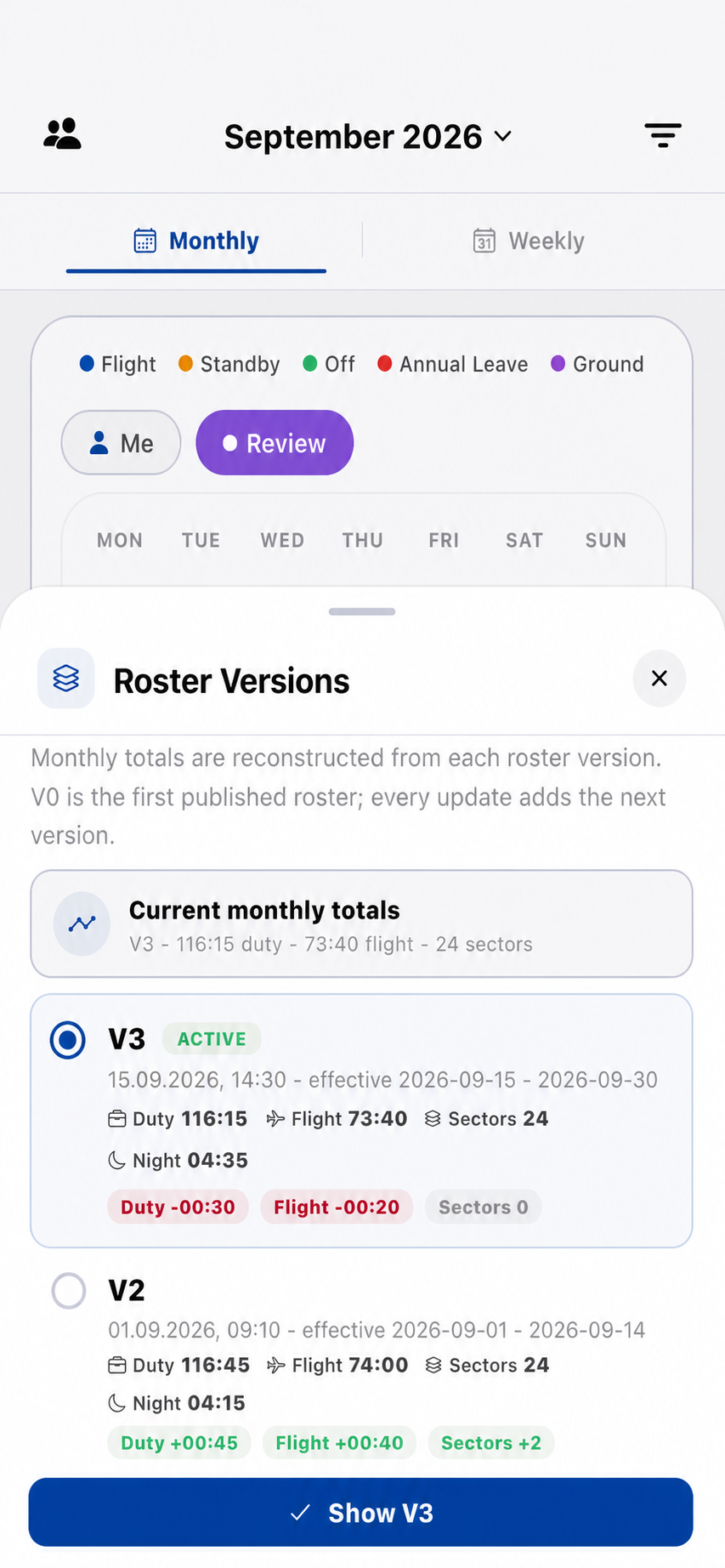
Built for the cockpit and the cabin
Useful in airplane mode. Controlled when connected.
Stored Calendar, Flights, Map and Finance records remain available without a permanent connection.
Backup, restore, import and sharing happen through visible user actions.
Credentials, raw tokens, store receipts and protected roster fields are excluded from shared and portable data.
Plans
Start free. Upgrade when Crew Prime becomes part of every duty.
Free
$0Core connected workspace with fair usage limits and ads.Monthly Pro
$4.99 / monthAd-free experience and expanded data workflows.Yearly Pro Best value
$39.99 / yearThe complete Pro workflow at about $3.33 per month.Available for iPhone and iPad
Your operation, in one place.
Calendar. Flights. Map. Finance. Sharing. Backup. Start with Crew Prime Free.
Download on theApp Store