
Roster organization
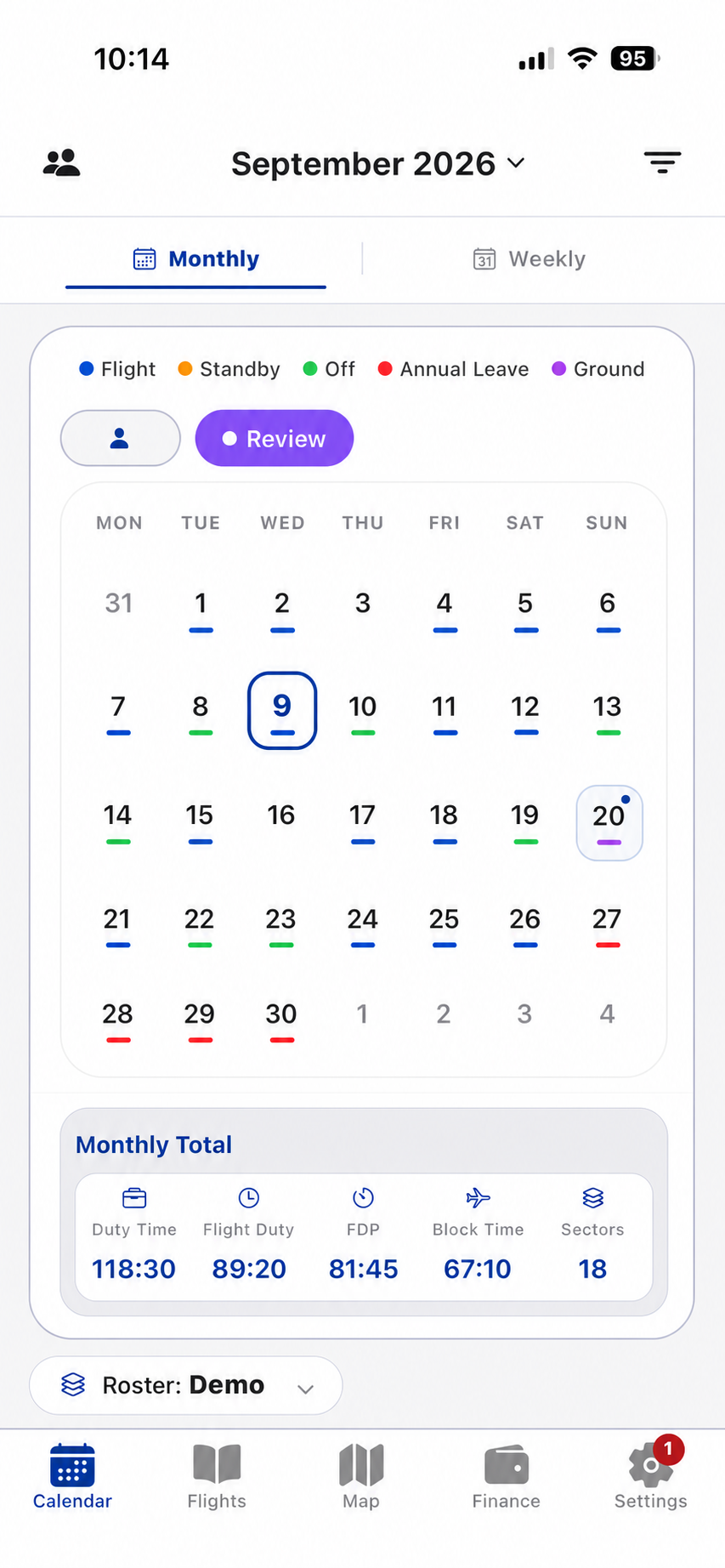
Monthly and weekly views classify flights, standby, leave, off days and supported ground activities.
Roster workflow →Product overview
Crew Prime organizes the operational information flight crew use repeatedly: roster activity, flight details, time metrics, route history, income context and personal data controls.
Capabilities
Each area uses the same stored roster and flight records, so calendar totals, flight details, maps and finance views remain connected.
Monthly and weekly views classify flights, standby, leave, off days and supported ground activities.
Roster workflow →Search and inspect route, aircraft, crew, notes, actual time logs and related manual income.
Logbook workflow →Review duty, flight duty, FDP, block time and sectors across selected periods.
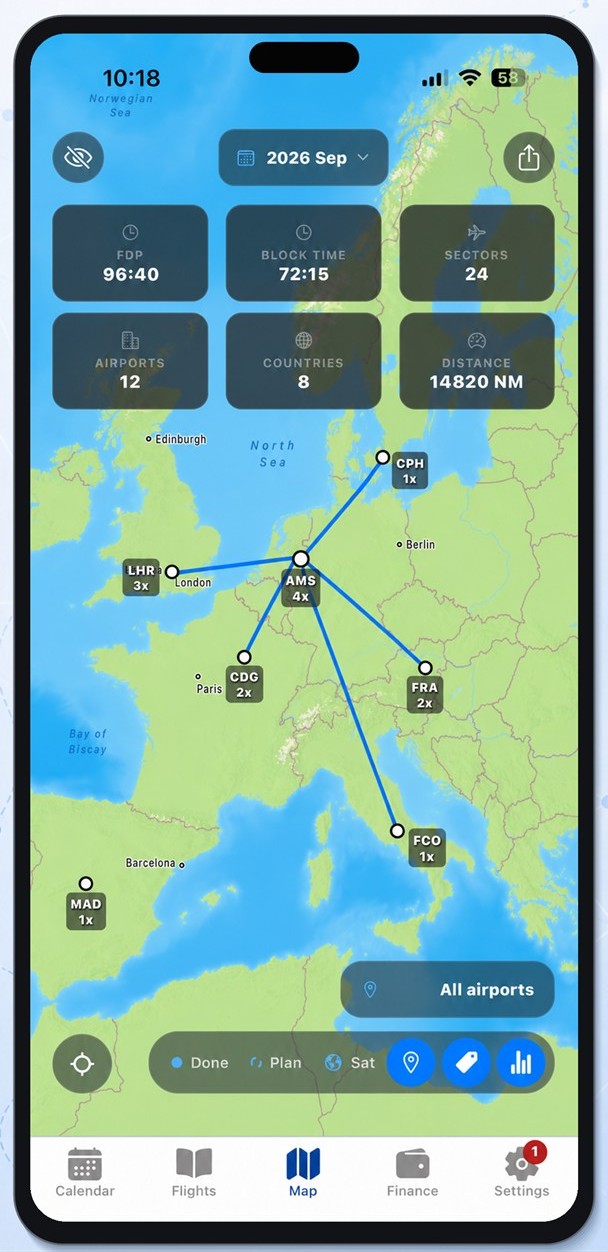
Duty metrics →Visualize flown airports, routes, sectors, countries and nautical-mile distance.
Map details →Create income rule sets and compare planned and finalized calculations by period.
Income workflow →Use explicit export, import, cloud backup, cloud restore and scoped roster sharing actions.
Data controls →Route intelligence
The map turns selected flight records into an inspectable route view without changing the underlying logbook. Airport counts, sector counts and route labels remain tied to the selected roster period.
Use one app for roster organization, flight records and income context.